A2X is settings-first, not dashboard-first
You configure two things once in Settings: how sales are grouped, and which account each Amazon transaction type posts to. Every settlement journal is then shaped by that configuration. Nothing is a live view you toggle per session.
Grouping is a saved setting
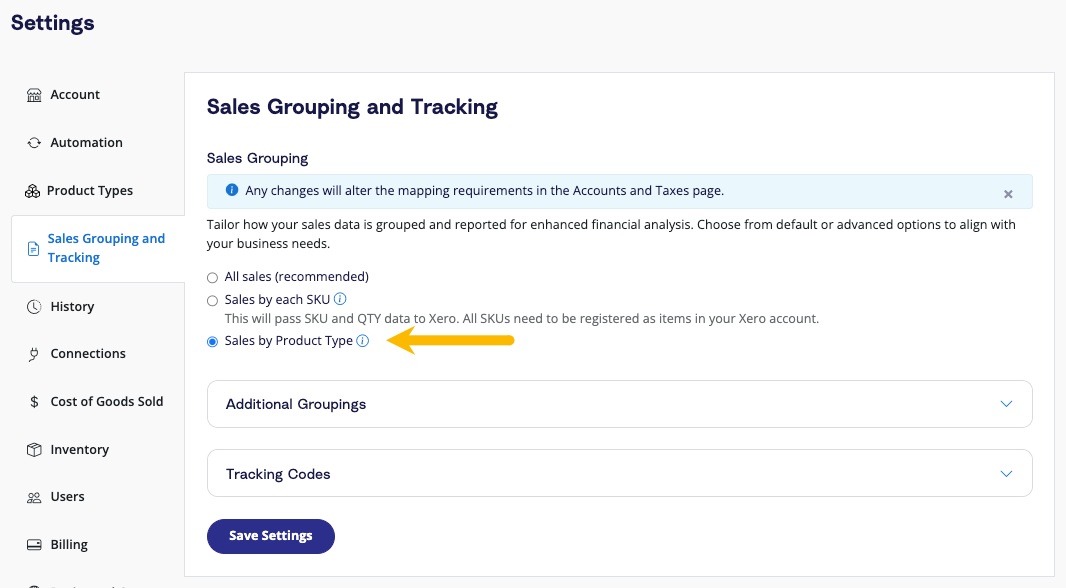
Settings has a "Sales Grouping and Tracking" page. You pick one grouping mode and save it. This is the exact screen behind the "revenue by" question.
Product types are SKU groups, each mapped to accounts
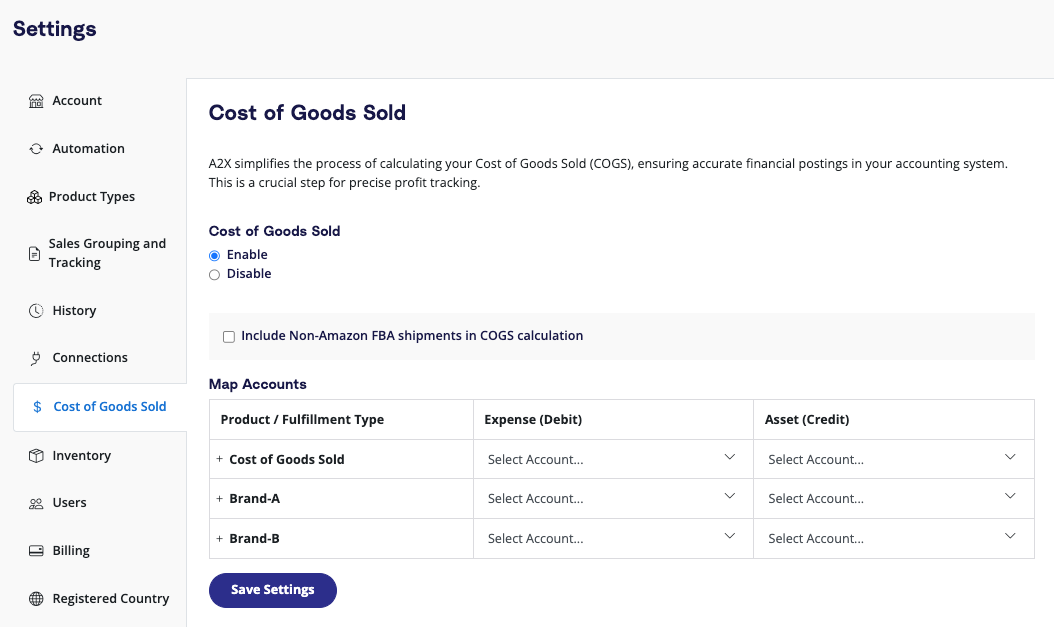
A "product type" is a named group of SKUs you define in Settings. Each one gets its own account mapping. This is how A2X does brand or category splits, all pre-configured.
The account mapping page, and where missing mappings get fixed
This is the core chart-of-accounts mapping: every Amazon transaction type maps to one of your GL accounts and a tax rate. On first connect an onboarding questionnaire auto-suggests the whole chart. When something is missing or new, you come here, in Settings, to map it. Exactly the RPP flow you described.
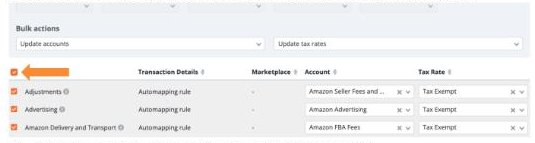
- Onboarding auto-maps the whole chart. First visit asks a few questions, then A2X suggests the required account and tax rate for every line. A one-time bulk map, not line-by-line.
- A missing or new mapping goes to Settings. To fix or add one, you open this page, pick the account, and save. Same as RPP.
- The catch-all rule is deliberately blank. A2X leaves the general rule for a transaction type unmapped on purpose, so a brand-new charge it has never seen is caught and surfaced for you, instead of being forced into the wrong account or tax silently. That is the "new thing stops for a human" pattern.
- Refresh cache pulls new accounts. Add an account in QuickBooks, refresh in Settings, Connections, and it appears in the pickers.
What A2X produces
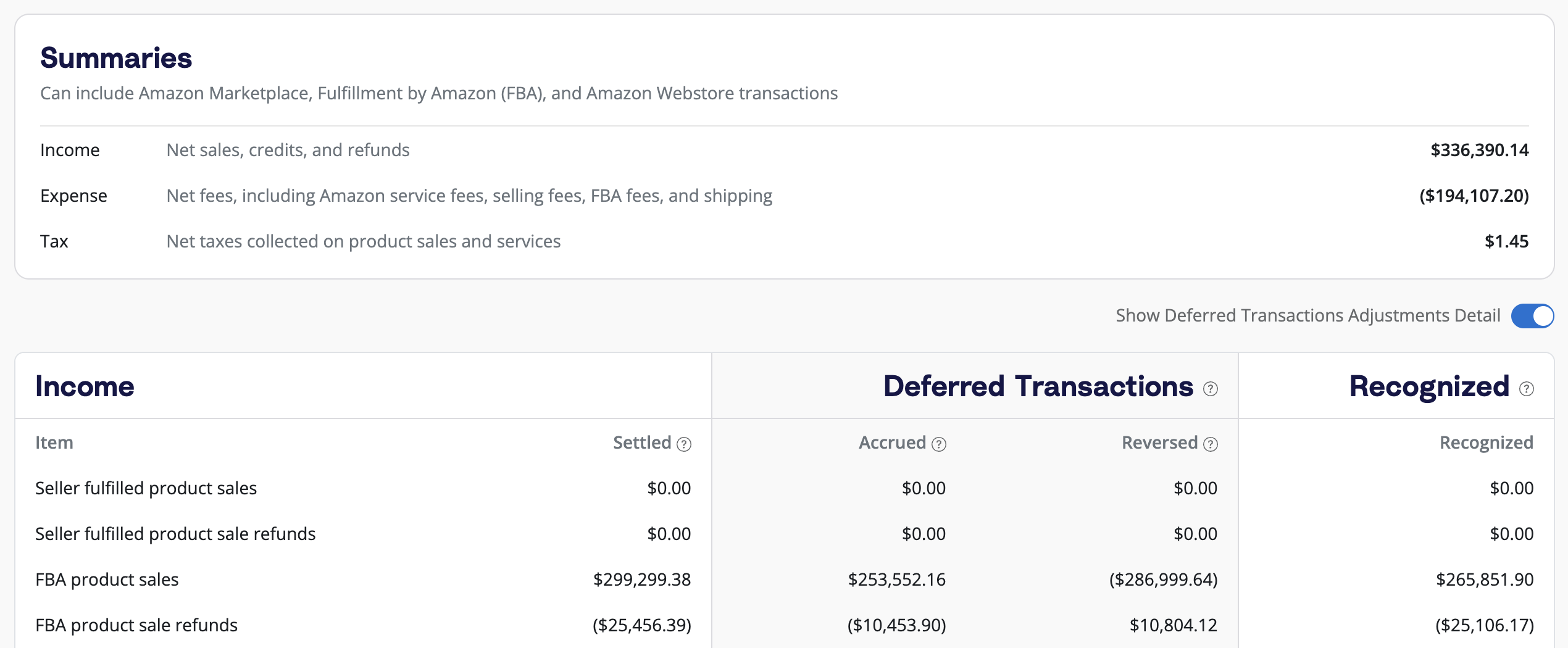
The output is a summarized journal per settlement, split into income, fees, and tax, and it handles Amazon's deferred (accrual) timing carefully.
The mechanics that matter
- Grouping is config, set once. All sales, by SKU, or by product type. It reshapes every journal. Changing it forces a refresh of past payouts.
- Product types are your own SKU groups. You define them; each maps to your own accounts, and optionally to your own QuickBooks classes.
- Mapping is per-seller and CoA-agnostic. A2X maps to your accounts and your classes, chosen from pickers. It never assumes a shared chart.
- Deferred timing is a real feature. A2X separates settled vs accrued vs recognized so accrual-basis books are right, not just cash-basis.
- It stops at "review and export." A2X prepares the entry; a human reviews and sends it to QuickBooks.
I drew "Revenue by [Brand] [SKU] [Vendor]" as a live pivot you tap. That is a dashboard idea, not how accounting mapping works. In A2X it is a saved grouping setting that changes the shape of the posted journal, and it can carry into QuickBooks classes. If Sticky offers "revenue by," it should be a configured grouping that drives posting, with a separate reporting view if we want interactivity. Those are two different things and I had merged them.
ConnectBooks, briefly
Different philosophy. Where A2X is a disciplined ledger tool, ConnectBooks leads with SKU-level profit and inventory, and a one-click export to QuickBooks. It is "profit dashboard first, books second."
| Dimension | A2X | ConnectBooks |
|---|---|---|
| Core job | Settlement to correct summarized journal | SKU-level profit and inventory, synced to books |
| Grouping | Saved setting: all / SKU / product type | Product-level by default |
| Feel | Sober ledger tool for a bookkeeper | Profit dashboard for an operator |
| Posting | Review, then send to QuickBooks / Xero | One-click export to QuickBooks / Xero |
For our discussion
The real questions A2X raises for Sticky Books:
- Should Sticky's grouping be a saved setting that drives posting (A2X's model), a live reporting view (dashboard), or both, clearly separated?
- Do we post to QuickBooks classes per group, the way A2X optionally does, so the seller's existing class structure is respected?
- Do we match A2X's deferred vs recognized timing so accrual-basis sellers are correct, or start cash-basis and add it later?
- A2X stops at "review and export." Our differentiator was posting it for you with verification. Is that the wedge, or do serious bookkeepers actually prefer the manual export A2X and ConnectBooks both keep?